

How to install the App on Android
STEP 1
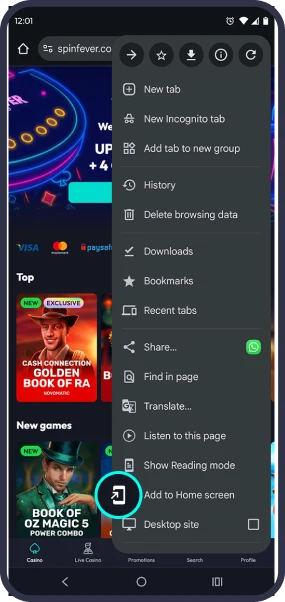
Go to the SpinFever home page and tap three dots to open the browser menu.

STEP 2
Choose “Add to the Home Screen” from the menu list.
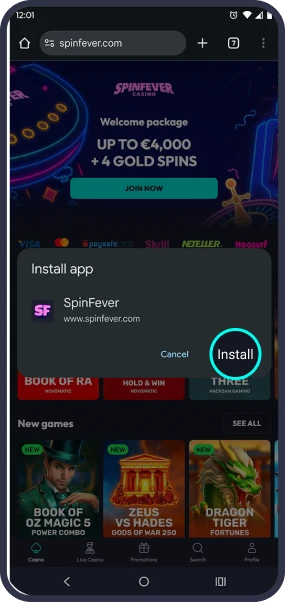
STEP 3
Confirm your selection by clicking the “Install” button.

How to install the App on iPhone
STEP 1
Go to the SpinFever homepage and tap “Share” on the bottom navigation panel.

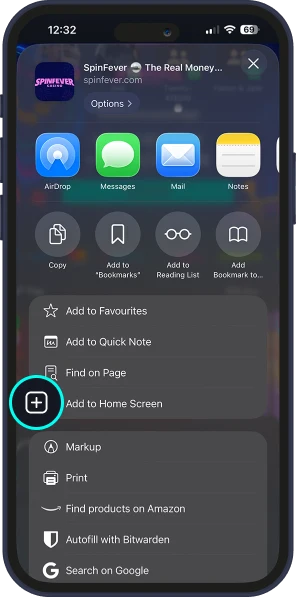
STEP 2
Locate and select the "Add to Home Screen" option from the menu.
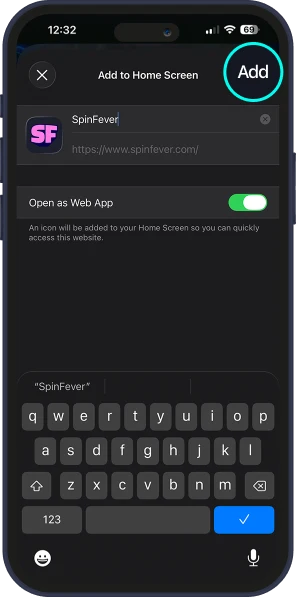
STEP 3
Confirm your selection by tapping the "Add" button.